
If you're having trouble accessing Alkimii, here are the most common reasons and how to resolve them.
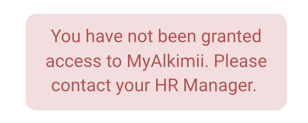
1. You Haven't Been Invited To The App Yet
Access to Alkimii requires an invitation from your organisation. You'll receive either:
|
 |
📚 Need help inviting a team member to the App? See our help article Invite/Reinvite Employees to the App
2. You've Returned to a Site Where You Previously Had an Alkimii Profile
Even if you've used Alkimii before at this organisation or site, your previous profile won't automatically reactivate when you return.
What to do: You'll need to be re-invited to the app, just as if you were a new user. Please contact your HR team for more information.
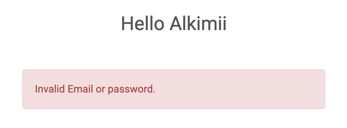
3. Your Email or Password Is Incorrect
Login issues often happen when:
|
 |
What to do:
- Double-check your email address for typos
- Try resetting your password using the "Forgot password?" link
- If you're unsure which email address was used, contact your HR team – they'll have the details from your setup
4. Your Account Is Locked
Your account may be locked if:
- You haven't accessed Alkimii for an extended period
- There have been multiple failed login attempts
What to do: Click "Reset Password". This will unlock your account and help you regain access. For security reasons, accounts cannot be unlocked without verification through your organisation.
5. You're Trying to Access From a Restricted Location
Alkimii has geographic restrictions in certain countries for security and compliance reasons.
Please note:
- If you're using a VPN, make sure it's set to your correct location. VPNs can make it appear you're accessing from a restricted country even when you're not.
- If you have a non-Irish SIM card and use mobile data, it can cause Alkimii to think you're abroad. Try switching to your site's WiFi to see if this helps.
What to do: If you're travelling or working internationally and can't access the system, contact your organisation's Alkimii administrator or our support team to check if your location is restricted.
6. You're Not an Alkimii User
Not everyone in an organisation automatically has access to Alkimii. Access is granted based on your role or team.
What to do: Speak with your HR team or manager to find out if Alkimii is available for your organisation.
7. Your Organisation Is Still Being Set Up
If your organisation is joining Alkimii soon but setup isn't complete yet, you won't be able to log in or download the app.
What to do: Wait for your invitation message. Downloading the app early won't give you access until your organisation's details are created in our system and you receive your official invite.
Still Having Problems?
If none of these apply or you're still unable to access Alkimii:
- Contact your HR team or internal Alkimii administrator first – they can check your account status.
- If they can't resolve it, they can advise youto raise a support ticket with us or submit one on your behalf.