
People Reports let you pull information about your team — hours, holidays, pay, starters and leavers, and more. Reports are organised into categories to help you find what you need quickly.
To get there: People > Data > People Reports > choose a category
🔐 What you can see depends on your access level. If you're missing a report you need, contact us at hello@alkimii.com
What do you want to do?
| 1. How do I view payments made over a period? |
| Use Monetary Payments or Monetary Payments For User Report in the Payroll section. |
| 2. How do I view employee changes over a period? |
| Use Employee Changes by Period Payroll Data in the Payroll section. |
| 3. How do I view leavers over a period? |
| Use Leavers by Period in the Turnover section. |
| 4. How do I view employee details for a chosen date range? |
| Use Team Member Details in the People section. This report allows you to select a date range. |
| 5. How do I view bank details? |
| Use Bank Details in the People section. |
| 6. How do I view sickness information? |
| Use SSP Report in the People section. This report allows you to select a monthly frequency. |
| 7. Can access be added to People Reports? |
| Yes. If you cannot see a report you need, access can be added. |
Can't find what you need? Have a browse through the full list of categories and reports below, or get in touch with us.
Browse by category
-
Hours Audit Reports — hours worked, cross-rostered costs, average hours
-
Holiday Reports — holiday balances, accruals, future holiday costs
-
People Reports — team details, contracts, pay rates, sickness, length of service
-
Training Reports — training shift costs, Team Pro usage
-
Payroll Reports — payments, payroll journals, staff imports
-
Rostering Reports — rosters, breaks, absenteeism, shift audits
-
Turnover Reports — starters, leavers, turnover by department
Each category has several reports inside it. For a full breakdown of every report and what it does, see our full guide to People Reports (PDF) — or contact us at hello@alkimii.com if you'd like a hand finding the right one.
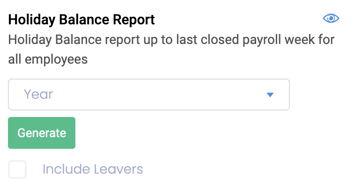
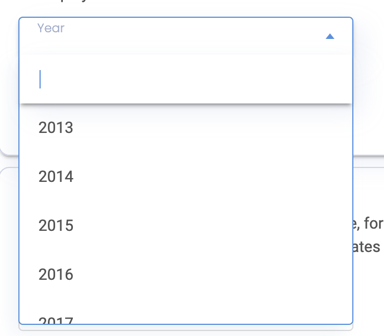
How to generate and download a Report?
|
 |
|
 |
|
 |
- No Range - these reports provide a snapshot of the required data as of today
- To download the report, simply select "Generate"
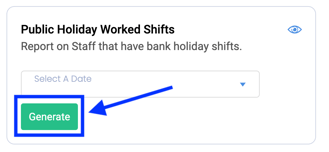
⚠️ Please be advised that the report may take a couples of minutes to generate depending on the parameters so please be patient.