
You can now translate messages and comments in Alkimii into your preferred language. Here's how it works.
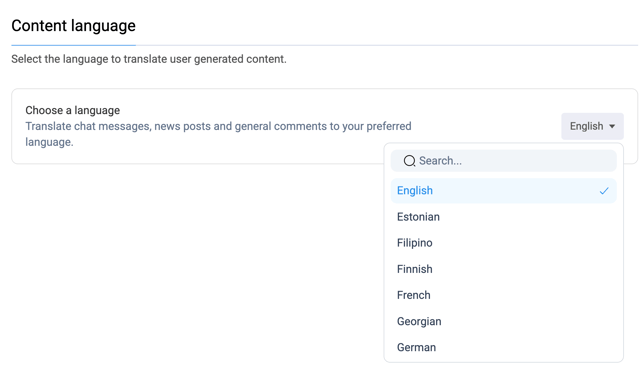
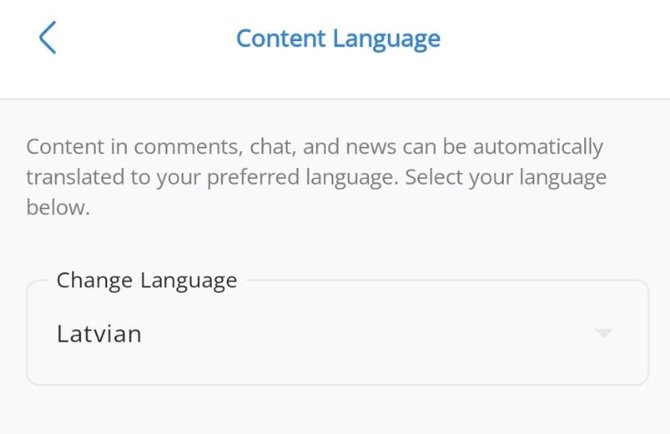
Setting Up
| Desktop | |
|
 |
| Mobile App | |
|
 |
How to Translate
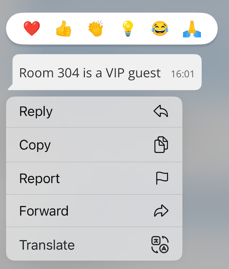
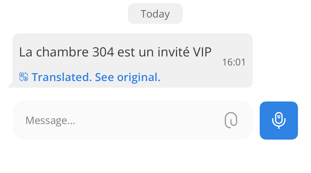
Chat Message on Mobile
|
 |
|
 |
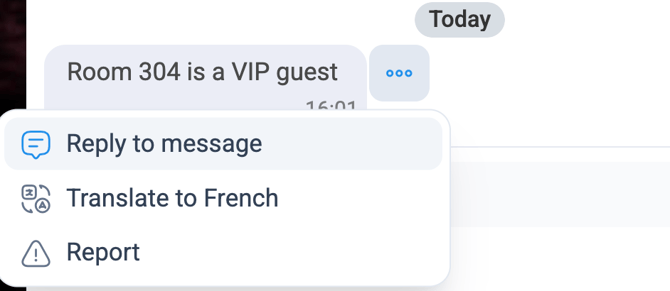
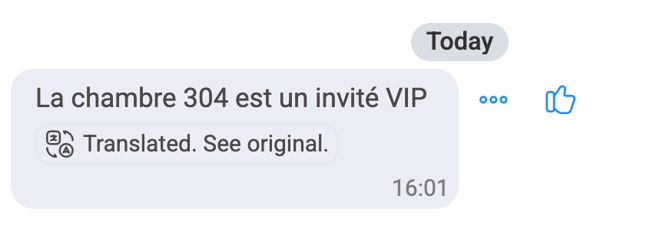
Chat Message on Desktop
|
 |
|
 |
Comment on Mobile
- Open the news post
- Press and hold on the comment you want to translate
- Tap "Translate"
- The comment appears in your chosen language
- Tap "See original" to view the original text
Comment on Dekstop
- Open the news post
- Hover to the right of the comment you want to translate and click the 3 dots.
- Click "Translate to '[your language]'"
- The comment appears in your chosen language
- Click "See original" to view the original text
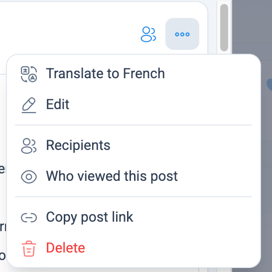
News Post on Desktop
|
 |
What Gets Translated
The translation feature works on content that people write, the actual conversations and comments. This means you can understand what colleagues are saying and join in discussions regardless of the language they're writing in.
👉 Please Note: Menus, buttons, and system labels stay in the English language. This keeps navigation consistent whilst giving you access to translated conversations where it counts.
When This Helps
- Following discussions in team chats when people write in different languages
- Understanding comments on announcements or updates
- Participating in conversations without asking colleagues to translate
- Catching up on chat history that's in another language
💡 Top Tip: The translation replaces the original text, but you can always see the original if you need to check something.