
What is clock status?
The clock status is a small badge shown in chat. It shows whether a team member is currently available. Now, when switched on, it simply shows "Available." When switched off this will no longer display an available status.
This setting works at hotel level. This means each property can choose its own preference, separate from other hotels in your group.
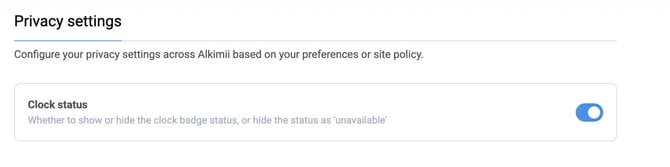
How to switch clock status on or off
- Go to App Settings.
- Select Privacy settings.
- Find the "Clock status" toggle.
- Switch it on or off, depending on your preference.
What each setting looks like
- Toggled ON: The chat icon appears in green. Available users show as "Available."
- Toggled OFF: The chat icon appears in grey. All users show as unavailable, no matter their actual clock status.
Who can change this setting
Only GM, HR or Accountant level access can change this setting. If you're not sure who has access, contact your management team or hello@alkimii.com for more information.