
How to add a Job Title?
⚠️ Before you begin: please be advised that job titles are set up at an organisation level.
- Go to App Settings.
- Select Job Titles.
- Choose + Add Job Title.
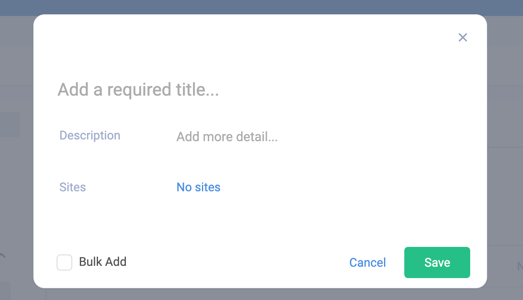
- Complete the fields required for the job title and save.
- Select the sites under your organisation to which you would like this title to be available
💡 Top Tip: If you wish to export a CSV of all job titles for your site, simply click the download icon in the top left of the list view.
Upload a job description
Use the Job Descriptions area in App Settings to attach or upload the relevant job description file to the appropriate job title.
- Locate the Job Title from the list or use the filter options for "Include Description" if you wish to review all titles with or without a job description uploaded.
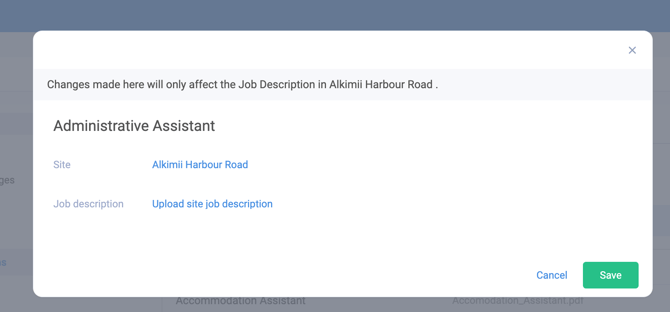
- Under the actions column across from the job title, click on the pencil icon
- Upload the relevant Job Description.
All job descriptions will need to be uploaded in PDF format
-
You can upload version to a job title in the same way, just repeat the above steps.
- You can view a full history log using the clock icon, under the actions column.
📧 If you see a job title that you do not want to be available in your site, please contact hello@alkimii.com and we can exclude this title from your site.
Assign a job title to a staff member
- Open Staff Profiles.
- Select the staff member to edit.
- Go to Employment > Contract.
- Update the Job Title field to the newly created title and save changes.
Create a staff profile (when you need to add new users before assigning titles)
- Go to Staff Profiles.
- Click + Add Staff.
- Fill in the staff member’s details.
- Send the MyAlkimii invitation link to invite the staff member to the platform.
- After the profile is created, follow "Assign a job title to a staff member" above to set their job title.
Best practices
- Ensure the user performing these actions has HR Managers access.
- Create job titles centrally in App Settings so they are consistent across staff profiles.
- Upload clear, role-specific job descriptions and attach them to the corresponding job title for easy reference.